![Move4U.png]](https://support.move4u.com/hs-fs/hubfs/Move4U.png?height=30&name=Move4U.png)
To generate the origin or destination descriptive inventory, you can access our MoveDashboard and select the move file you will be working on.
1. Confirm that there is inventory (the task must be finalized)
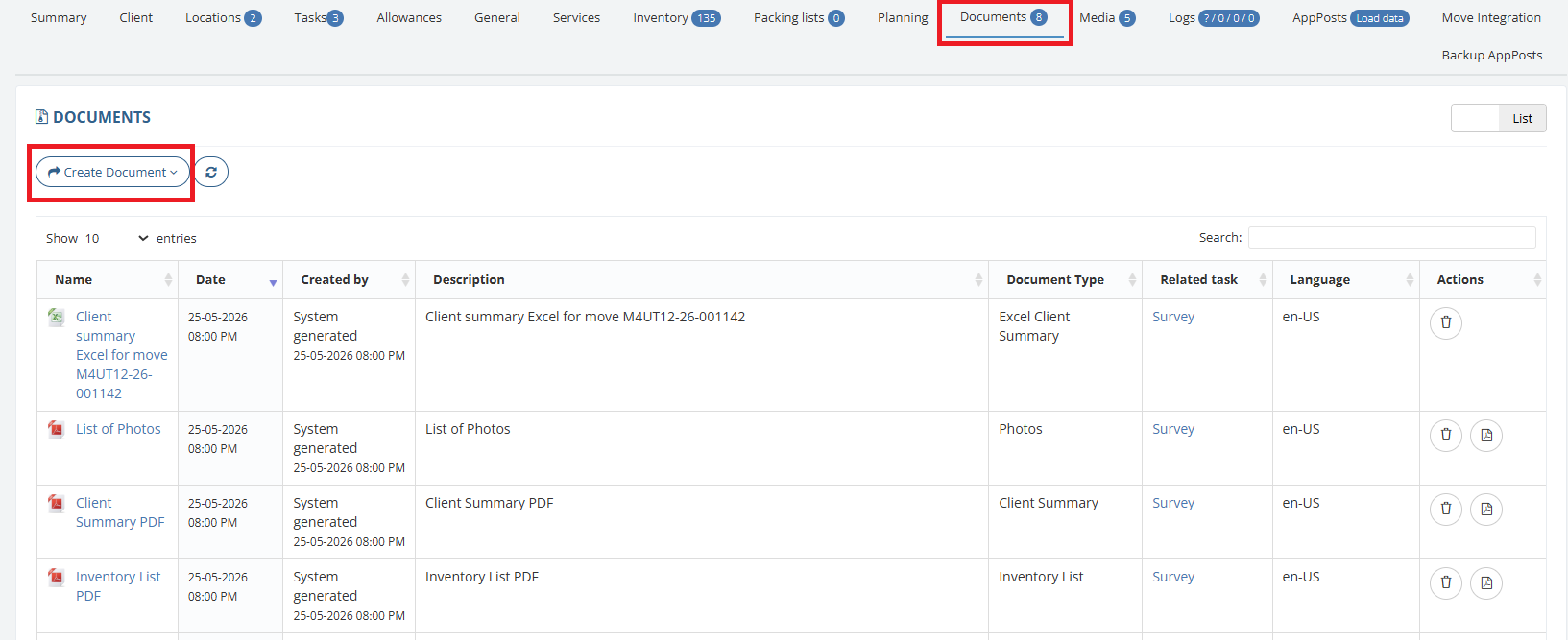
2. Go to Documents and click Create Document
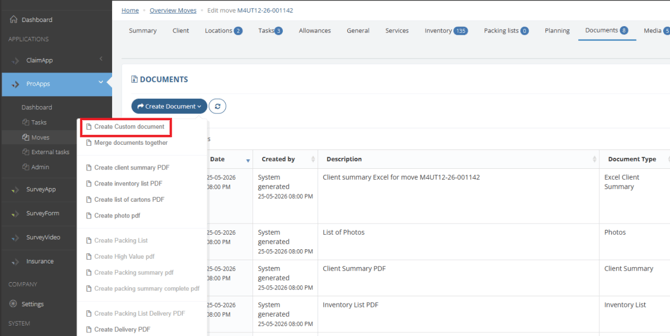
3. Select the Create Custom Document option
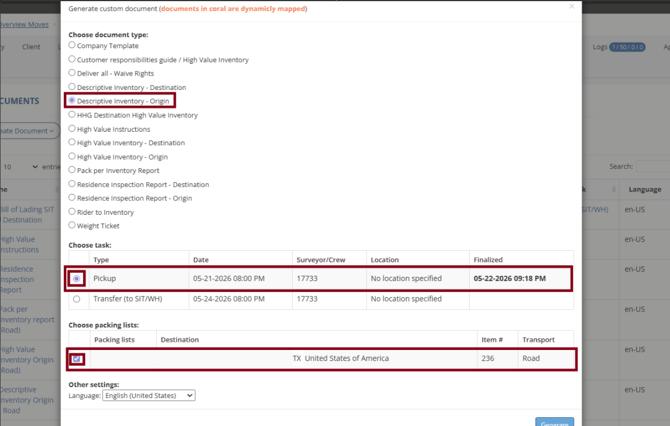
4. Choose the document you want, in this case, descriptive inventory. Select the task and the packing list.
5. Click Generate.