![Move4U.png]](https://support.move4u.com/hs-fs/hubfs/Move4U.png?height=30&name=Move4U.png)
In a standard move, items go directly from origin to destination. In that case, you only need:
- A Pickup task (origin)
- A Delivery task (destination)
However, when items need to be stored temporarily in a warehouse or storage facility, the process changes slightly.
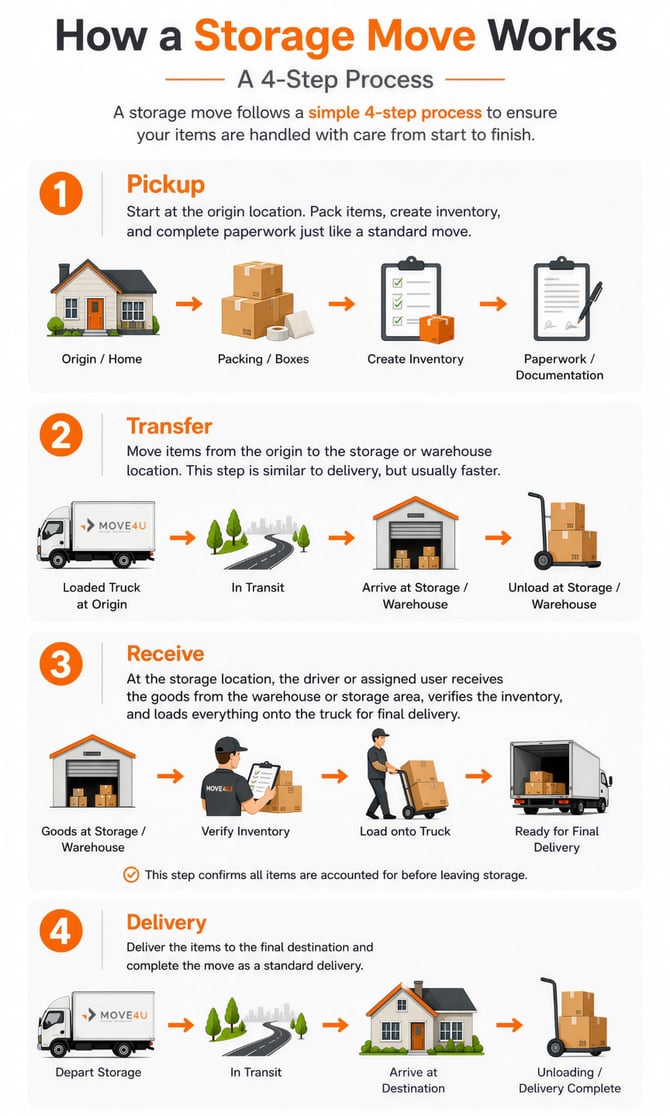
Correct workflow for storage moves
When storage is involved, the correct order of tasks is:
Pickup → Transfer → Receive → Delivery
1. Pickup (Origin location)
This is the usual starting point.
- Items are packed
- Inventory is created
- Required paperwork is completed
Everything works the same as in a regular move.
2. Transfer (to storage location)
This step requires an additional location: the Transfer location (warehouse or storage).
In this task:
- Items are moved from the origin to the storage/warehouse
- The process is similar to a delivery, but typically quicker
NOTE: Add the extra Transfer Location via the MoveDashboard or through your own integration to our system. It is required to have the transfer location in order to assign the Transfer and Receive Tasks
3. Receive (from storage location)
In this step:
- Items are received from the warehouse/storage
- The driver checks and confirms all inventory items
This ensures everything is accounted for before final delivery.
4. Delivery (Final destination)
Finally:
- Items are delivered to the final destination
- The task is completed as a standard delivery
Important things to keep in mind
- The correct order of tasks is essential:
Pickup → Transfer → Receive → Delivery - You must have three locations configured:
- Origin location
- Transfer location (storage/warehouse)
- Destination location
- Office staff should make sure these locations are correctly set up when creating the file
Following this workflow helps avoid issues with inventory tracking, missing items, or incorrect task setup.
If you’re unsure whether a move requires storage steps, it’s always best to confirm with your office before starting the job.