![Move4U.png]](https://support.move4u.com/hs-fs/hubfs/Move4U.png?height=30&name=Move4U.png)
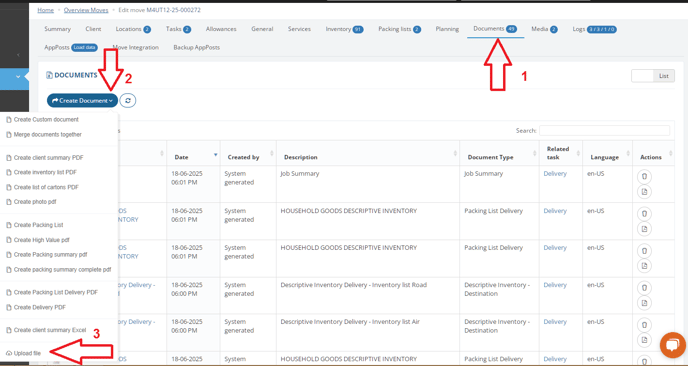
So, in the first step we must first locate the move file and the task to which we want to upload it. Once inside the move file, navigate to the Documents section and then click on the "Create Document" button, followed by "Upload File."
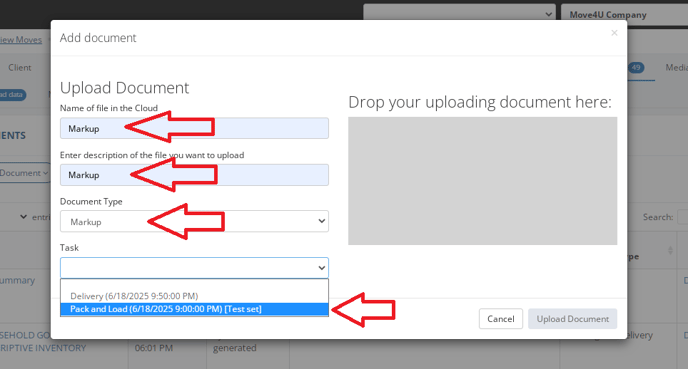
A window will open that you need to fill out as shown in the image (refer to your image here):
- Name: Markup
- Description: Markup
- For Document type, you must select Markup.
- In Task, select the specific task to which you want to upload the document.
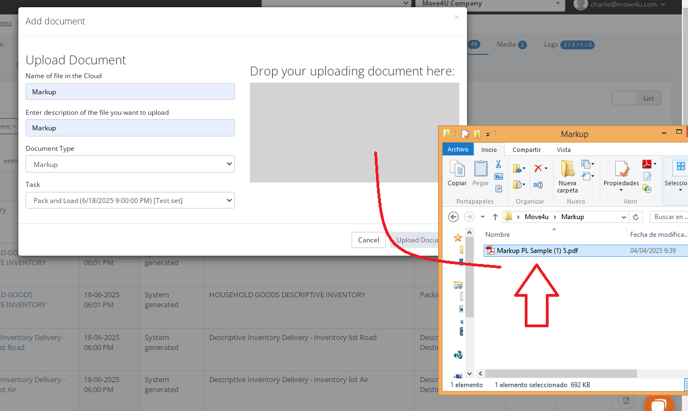
- Now, we must locate the folder where our document is located and drag it to the indicated area.
 Finally, the user simply needs to refresh the reports section on their device to view the new document.